System Module
Control the workspace around your own workflow.
Manage app settings, security, appearance, backup, restore and workspace behavior from one control center.
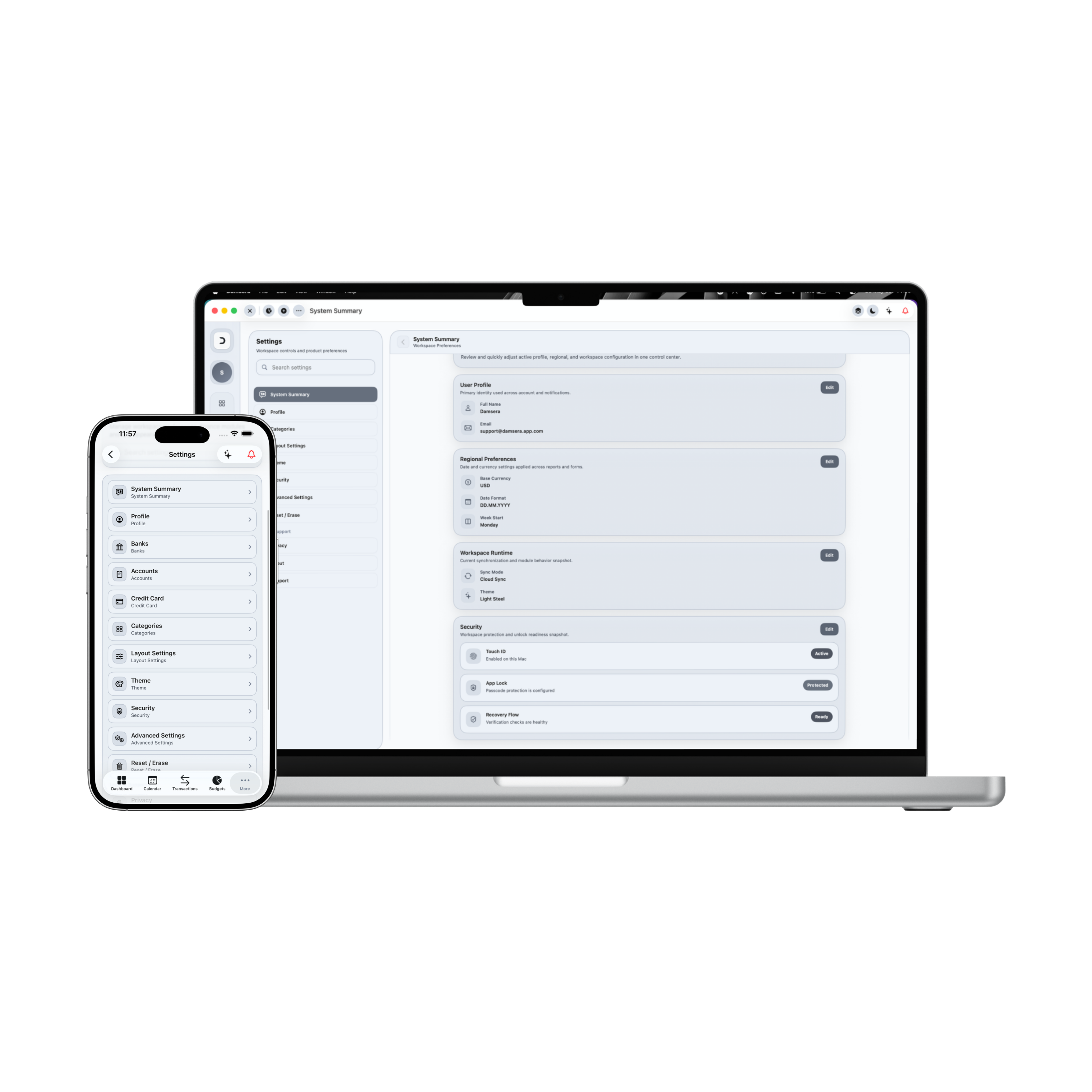
Control Center: System Settings
Damsera's system center allows users to configure underlying application rules. Optimize financial base parameters, customize default visual interfaces, run system diagnostics, and secure offline databases from one cohesive Apple-native settings workspace.
Cache storage allocated
24.8 KB
Diagnostics health score
100% Optimal
Synchronized nodes
2 Nodes (iCloud)
Transport Encryption
AES-256 Bit
App Preferences
Health & Maintenance
No active diagnostics running
Scan local directories and verify data checksums.
iCloud Secure Database Backup
Compile application settings and data (custom transaction lists, budgets, loans, and categories configurations) into a structured secure file format. Stored backups are encrypted with AES-256 keys.
Currently tracking application settings under USD ($) base currency and Apple Dark preferences. Your secure sandboxes allocate 24.8 KB of local cache memory, optimizing database tables automatically every week. All active transactions, credit portfolios, and budget limits are fully synchronized with 2 encrypted iCloud sync nodes.
1. Visual Themes selectors
Toggle between visual settings matching Apple Dark Mode, Apple Light Mode, or classic Space Gray.
2. Startup Module views
Configure the launch workspace. Set default routing focus onto Dashboard, Transactions, or Budgets.
3. Health diagnostics
Execute active diagnostics. Checks scan sandbox directories, verify ledger checksums, and check for errors.
4. Passcode startups
Secure daily ledgers. Require passcode verification checks on startup initialization parameters.
5. Transport Encryption
Secure local database cache entries. Encryption uses AES-256 standard keys for secure sync profiles.
6. iCloud Backup Exporters
Initiate secure database backups. Steppers compile files and trigger secure JSON downloads.
7. Clean state reset
Reset application data. Double-confirm warning overlay alerts protect against accidental data loss.
8. Base Currency Toggle
Toggle currencies. Balances update dynamically to support USD, EUR, GBP, or TRY.
9. Offline Continuity Security
Retain total local privacy. System preferences compile securely inside native sandboxes with zero tracking.
Applied Freedom
What You Can Do in Practice
The System workspace turns complicated technical settings configurations into user-friendly checkboxes, helping you control default app scopes, diagnostics, and secure exports.
Toggle default base currency settings (USD, EUR, GBP, TRY formats)
Switch Visual Themes matching Apple Dark, Apple Light, or Space Gray
Configure startup default workspaces (Dashboard, Budgets, Ledger pages)
Toggle security passcodes and local database transport encryption
Execute active system diagnostics auditing storage schemas
Initiate secure iCloud database backups exporting structured files
Manage local cache allocations, diagnostics health, and synchronizations
Reset preview database to clean default settings
System Module in Summary
System settings provide control. By unifying preference configurations, securing transport encryption lines, running regular diagnostic checks, and enabling secure database backup exports, Damsera helps you shape the app to your financial routine.