Calendar Module
Read your finances through time.
Calendar transforms income, expenses, payments and financial events into a daily, weekly and monthly planning view.
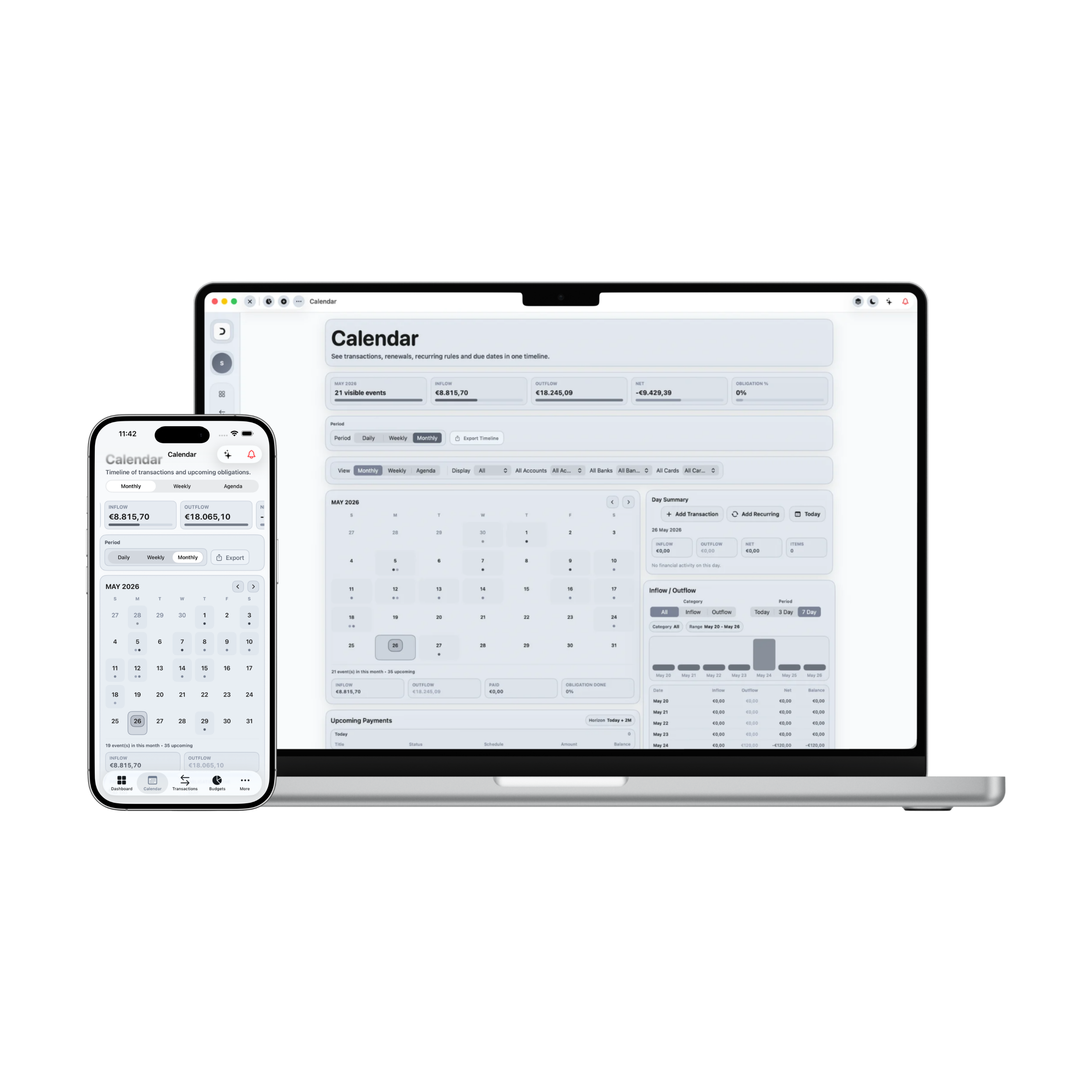
Control Center: Calendar Module
Damsera's calendar module transforms standard database records into a dynamic, date-driven planning center. Navigate monthly cashflow maps, inspect daily sub-ledgers, and monitor upcoming payment obligations ahead of time.
Chronological Rhythm
October 2026
2026-10-12
1. Time-Focused Financial Outlook
Observe incomes, expenses, and transfers dynamically distributed on an elegant Monthly Grid layout (October 2026).
2. Daily Transaction Tracking
Select any calendar cell to instantly reveal scheduled items. View daily transaction names and net totals.
3. Periodic Cash Flow Reading
Correlate financial load with specific dates, allowing you to isolate weekend spikes from regular weekday spending.
4. Multi-Criteria Noise Filters
Filter grid dots instantly by category, source channel, or transaction type. Isolate high-noise shopping bills.
5. Upcoming Obligations Widget
Never miss a bill renewal. Dedicated list display tracks uncleared bills and scheduled transfers with countdowns.
6. Interactive Scheduler Drawer
Tap a date to pre-fill dynamic event schedules. Instantly register items in calendar lists and dot nodes.
7. Visual Timeline Rhythms
Observe process behaviors rather than isolated transactions. Track chronological loops to understand spending habits.
8. Operational Operations Integration
Delete or adjust scheduled outbounds directly from the Selected Day inspector card in a few clicks.
9. Monthly Asset Summaries
Verify baseline month calculations (Earnings, Outbounds, Net Monthly Pools) displayed at the bottom of the grid.
Applied Freedom
What You Can Do in Practice
The Calendar page structures your financial data on a clear temporal axis, helping you connect cash movements with real calendar dates.
Inspect total liquid outbounds on a daily basis
Monitor overall weekly financial speeds and velocity
Detect recurring spending pressure peaks on specific dates
Ensure timely settlement for upcoming scheduled bills
Plan cash flow reserves in advance of projected obligations
Filter monthly calendars dynamically to isolate noise
Examine granular sub-ledgers for any selected day
Delete or schedule entries cleanly in a cohesive timeline layout
Calendar Module in Summary
The Calendar page turns passive records into active chronological insights. Plan your outbounds around real days, avoid payment surprises, and build a healthy temporal balance for your financial journey.