Notifications Module
Stay informed at the right time.
Receive daily summaries, reminders and important financial alerts without opening the app constantly.
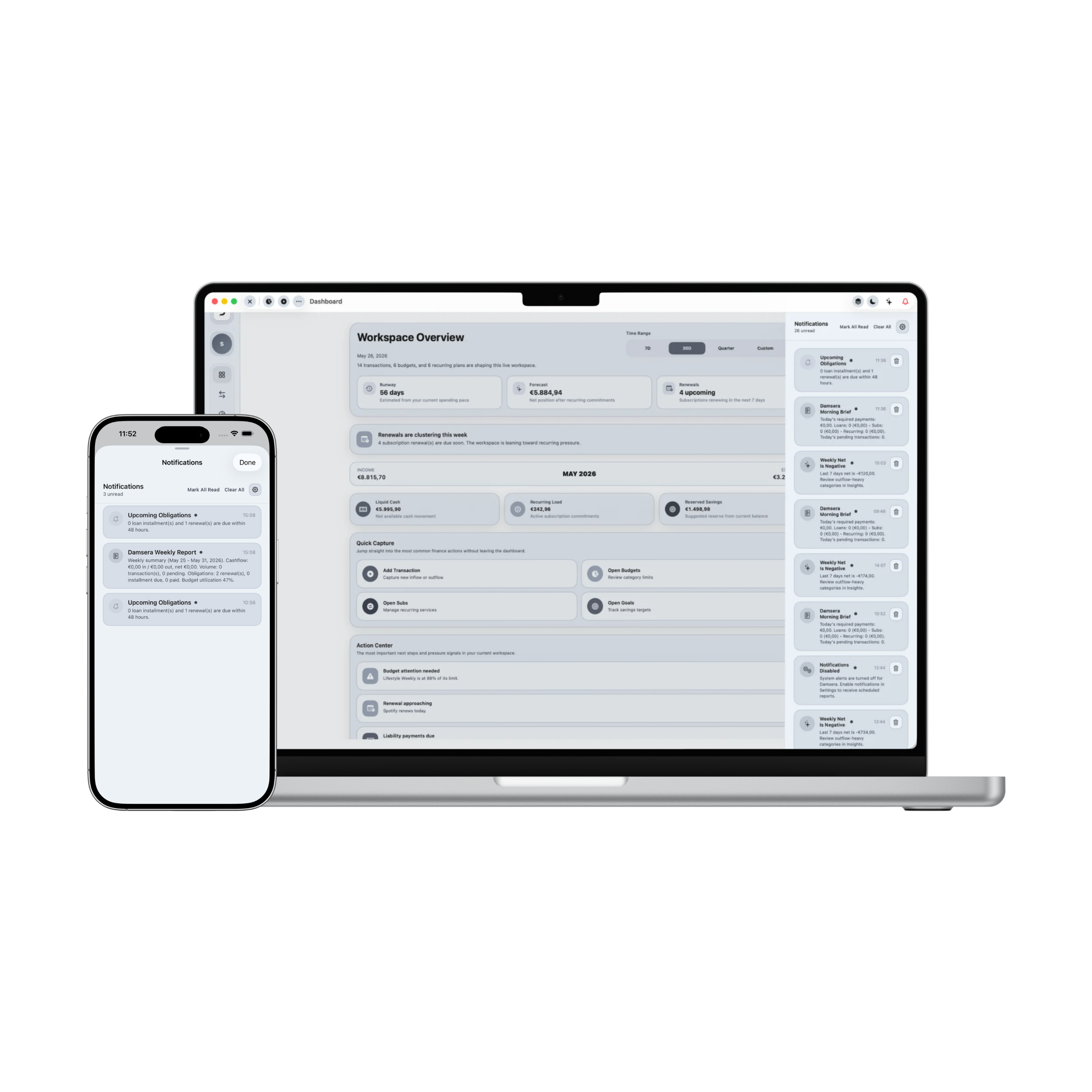
Control Center: Notifications Module
Damsera's notification system centralizes raw alert logs, daily reports briefs, and smart cashflow warnings. Personalize delivery schedules, mark unread items, verify triggers, and jump directly into optimization modules.
Total Unread Alerts
3 Alerts
System delivery status
Enabled / Active
Matching Ledger Items
4 items
Scheduled summary digests
09:00 AM / Fri
Central inbox ledger
Inbox: 4 itemsCritical Due Alert: Sapphire CC
Chase Sapphire card balance of $5,000 is due on October 28, 2026. Settle payment early to prevent interest loading.
Leisure SaaS Subscription Detected
Adobe CC has logged zero usage signals in the last 30 days. Click cancel to shave off $60/mo in subscription weights.
Weekly Budget Limit Exhaustion
Food & Dining monthly budget cap is 92% complete. Pulsing crimson warning triggers active.
Monthly Q1 Report Document Compiled
Your detailed Q1 2026 statement ledger has compiled successfully. Print or download the official PDF document.
Currently synchronizing 3 unread system notifications. System delivery is fully verified at 100% active operational state. Your preference profile schedules consolidated financial digests to compile automatically every Friday at 09:00 AM in Detailed Outline settings.
1. Central Inbox Ledger
Assemble critical system alarms, SaaS subscription warnings, and monthly statements under a clean inbox.
2. Dual Display Toggles
Switch display screens segmenting active notification listings from preferences configuration panels.
3. Verification Tester
Trigger test alert signals in the sidebar. Systems inject fresh custom cards dynamically on the fly.
4. Preferences Toggles
Customize alerts. Toggle checkboxes for daily digests, budget threshold limit warnings, and loan due dates.
5. Timing Delivery Hours
Select delivery timelines. Adjust hours selecting Morning (09:00 AM), Noon (01:00 PM), or Evening formats.
6. Weekly Digest Schedulers
Set digest weekdays. Schedule weekly consolidated summaries on Monday morning or Friday travel periods.
7. Bulk list Operations
Execute bulk operations. Mark all unread elements as read or flush inbox registries in a single click.
8. Deep Connection Hooks
Jump into connection routes. Clicking Open directs you instantly to corresponding workspaces.
9. Offline Continuity Security
Retain complete local privacy. Alert indices compile securely inside native core boundaries with zero tracking.
Applied Freedom
What You Can Do in Practice
The Notifications center unifies disparate alarms into one cohesive command visual panel, helping you filter out noise, edit schedules, and execute optimizations.
Consolidate critical due dates, smart insights, and budget warning limits
Toggle display tabs between Inbox ledger listings and Preferences config
Generate custom demo alerts dynamically to verify signal deliveries
Mark all unread notifications as read or clear the inbox completely
Toggle parameters for daily digest summaries and due date warnings
Adjust delivery timings selecting designated times and weekdays
Wipe individual notifications or switch their read/unread statuses reactively
Navigate directly to corresponding workspaces (Debts, Budgets, Reports)
Notifications Module in Summary
Notifications establishes structured awareness pathways. By organizing alerts, managing digests, adjusting schedules, and offering direct hooks into modules, Damsera keeps you informed exactly when it matters without clutter.