Cashflow Module
Personal Cash Flow Tracker for Apple Devices
Visualize inflows, outflows and net movement with a clean cashflow command center.
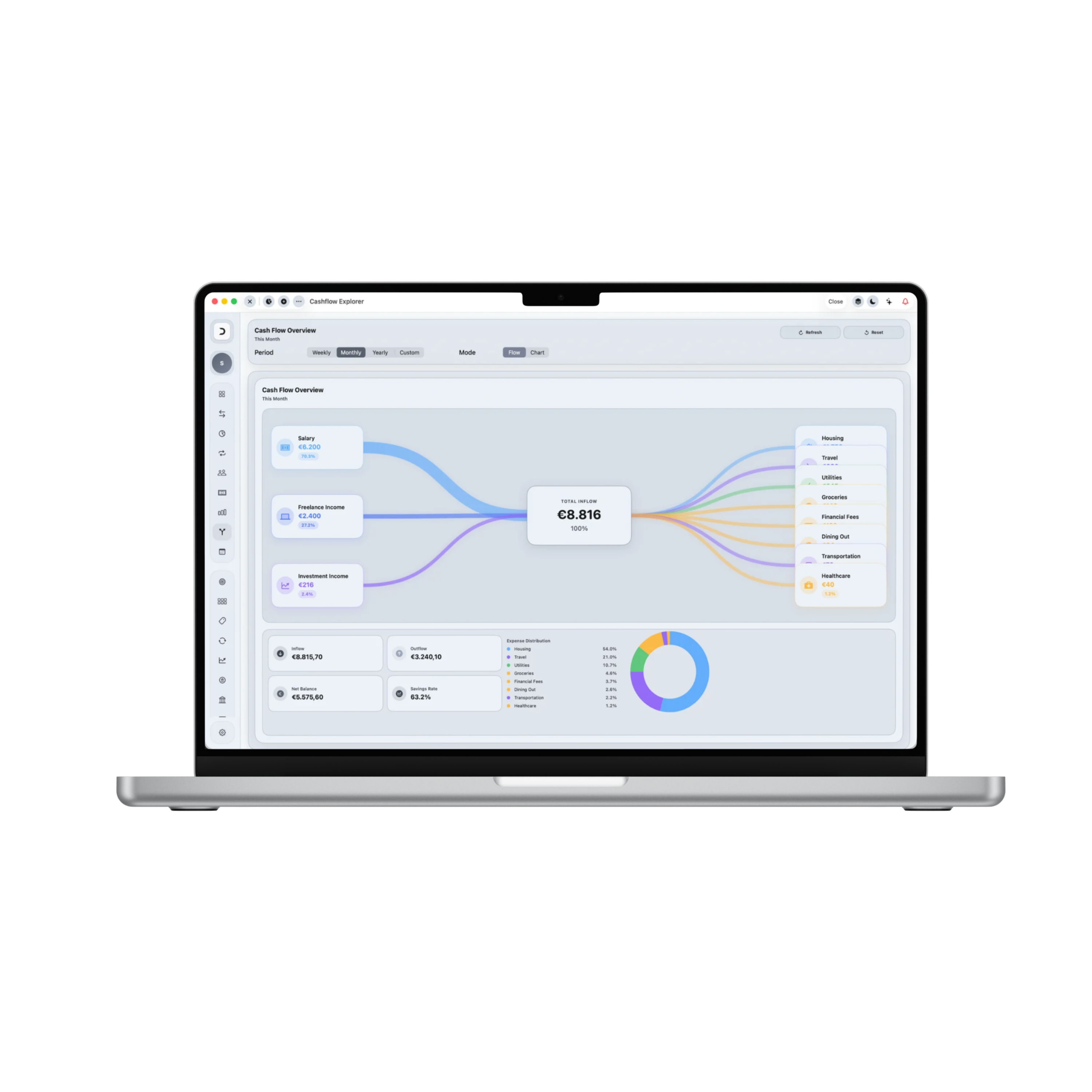
Control Center: Cashflow Module
Damsera's cashflow analytics hub helps you track, distribution-map, and understand the rhythm of capital movements. Toggle interactive flows, dissect category pools, and inspect deep subcategory breakdowns through state-driven drill-downs.
Total Inflow Assets
+$7,400.00
Total Outflow Spent
-$4,480.00
Net Liquid Balance
+$2,920.00
Period Savings Rate
39.4%
Liquidity Flow Connections
Period: MONTHLYLiquid Treasury
+$2,920
Your liquid net position sits at +$2,920. This creates an overall savings yield of 39.4%. Under outbound allocations, Shopping represents the highest volatility risk, while Housing fixed commitments remain extremely safe and settled.
1. Nakit Akışı Bütün Resmi
Monitor total inflows, outflows, net balances, and savings yields in a single comprehensive dashboard.
2. Visual Flow Mapping
Switch to Flow Mode to inspect capital movement from inbound sources to outbound streams under visual Sankey layouts.
3. Rolling Trend Analytics
Compare incomes vs. spending pools over rolling periods. Identify monthly growth or strain ratios instantly.
4. Periodic Context Selection
Filter contexts by weekly, monthly, or yearly ranges. Configure custom date brackets for tailored cash evaluations.
5. Distribution Percentages
Dissect category outbounds with expense distribution metrics. Learn exactly which categories create the highest outflow pressure.
6. Root-Cause Drill-Downs
Tap any category in the distribution list to isolate subcategory splits. Trace outbounds from primary totals to nested items.
7. AI Cashflow Intelligence
Receive automated assessments. Check optimal, strained, or critical states with custom tailored spending tips.
8. Live Database Refresh
Reload mock data parameters instantly to simulate real-time updates. Reset values back to defaults with a single tap.
9. Cross-Device Continuity
Visual layouts scale perfectly. Tracks cash flows comfortably across iPhone, iPad and Mac workspaces.
Applied Freedom
What You Can Do in Practice
The Cashflow command center visualizes the movement of capital in real-time, giving you total transparency over inflows and outbound streams.
Reconcile monthly inflows against outbound commitments
Pinpoint category-specific spending velocity
Trace from macro category totals to root subcategories
Track savings ratios against strategic plans
Identify short-term liquidity shifts early
Evaluate net cash positioning across rolling periods
Generate custom interval reports (e.g. weekly checks)
Optimize cash streams to increase discretionary safety margins
Cashflow Module in Summary
Cashflow goes beyond basic tracking. It exposes structural warnings, visualizes liquidity pools, and provides actionable recommendations to protect your net position. Keep capital streams healthy, optimize savings margins, and plan with data-backed confidence.